
Phishing Training for Employees: A Program That Works
How to build phishing training for employees that changes behavior: content, simulations, metrics, non-punitive reporting and the controls it depends on.
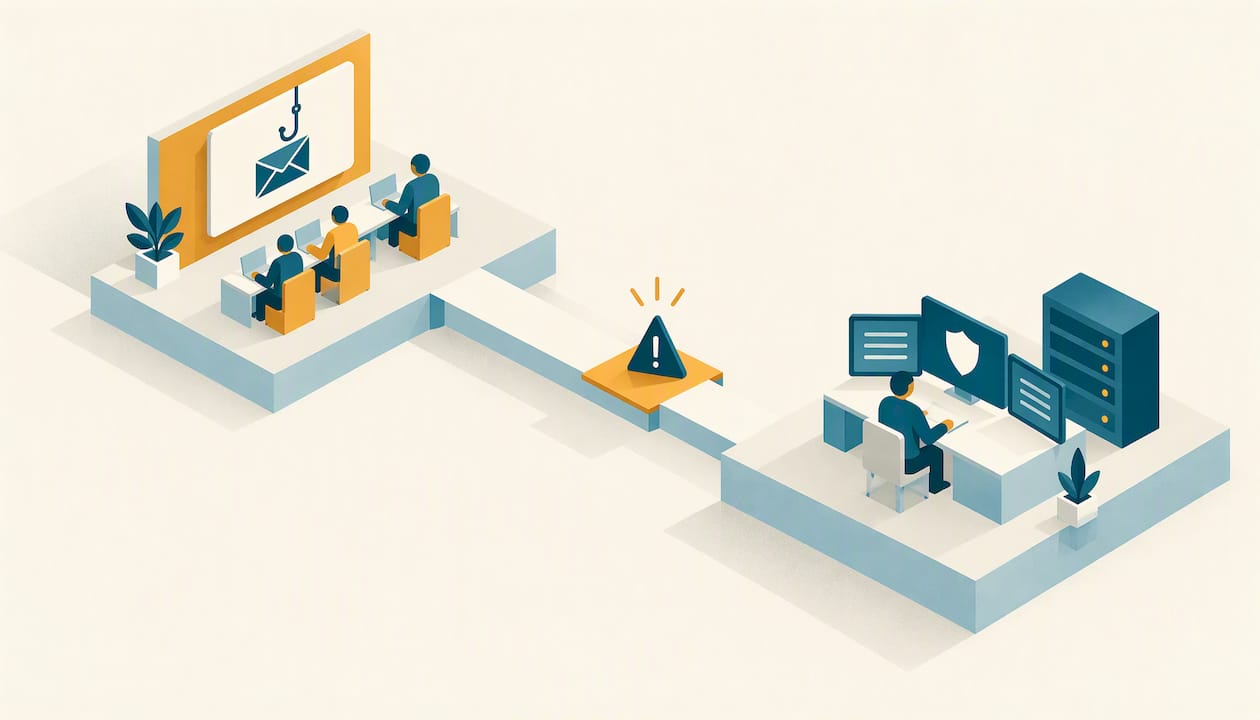
Effective phishing training for employees is a continuous program, not an annual video: onboarding instruction, short refreshers built on current lures, role-specific simulations, and a reporting path that reaches someone who can act within minutes. Training is also only one layer. CISA, NSA, FBI and MS-ISAC guidance pairs it with MFA, filtering, endpoint protection and patching.
This article covers what to teach, how to run simulations without damaging trust, which numbers to track, and where a small or mid-sized organization, a local government or a critical infrastructure operator should draw the line between running the program internally and getting help.
TL;DR
- Phishing training should be continuous: onboarding, quarterly refreshers, regular simulations and role-based modules for finance, HR and IT.
- Measure reporting behavior and time to first report, not click rate alone. A click can reflect a convincing, role-relevant lure rather than carelessness.
- Keep the response non-punitive. Punishing clicks suppresses the reports defenders need to contain a real attack.
- Training does not replace MFA, filtering, endpoint controls or an incident escalation path. A trained user cannot compensate for weak identity controls.
- If your IT team is lean, the hidden cost is program administration, not content.
Table of Contents
- Why employees remain the target
- What employees should actually learn
- Build the program in six steps
- Running phishing simulations well
- Training is one layer of the defense
Why employees remain the target
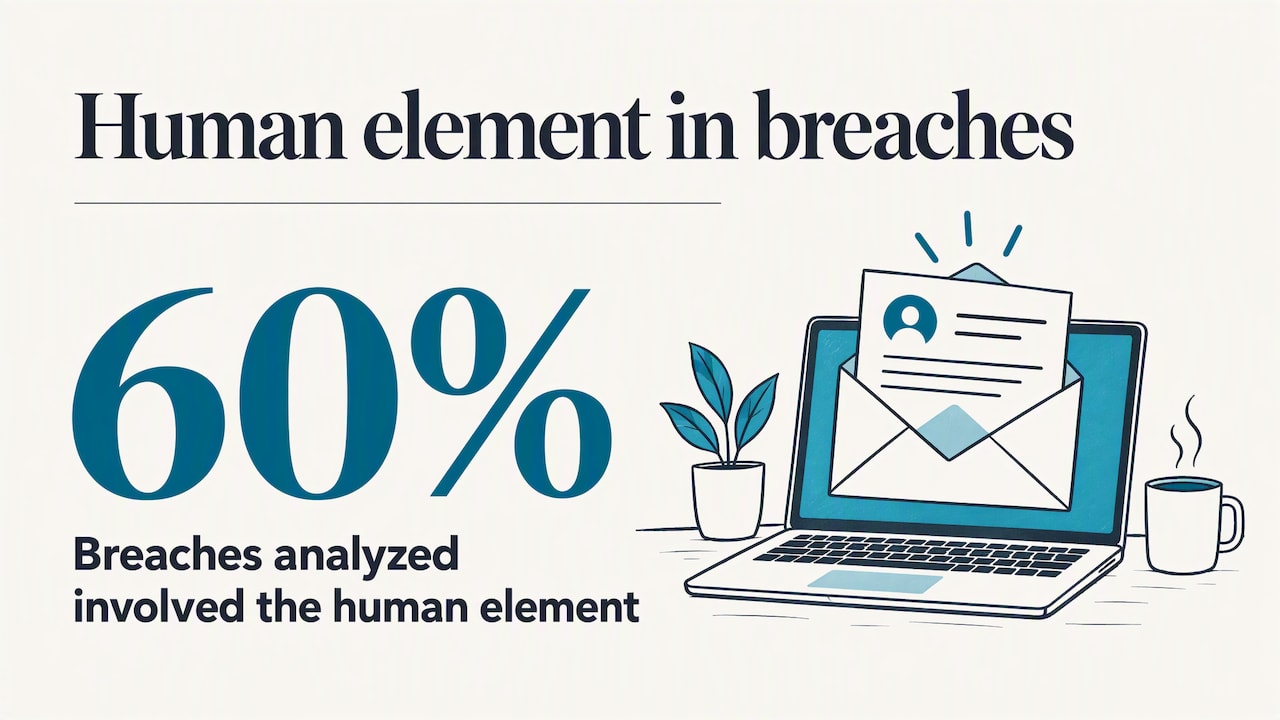
Phishing succeeds because it asks a person to make a routine decision, such as opening an invoice, approving a sign-in prompt or resetting a password, under mild pressure. Verizon’s 2025 Data Breach Investigations Report found the human element involved in 60% of the breaches it analyzed, and it notes a significant overlap between phishing or pretexting that steals a credential and the credential abuse that follows.
That last point should shape how any program is designed. A phished credential is rarely the end of the incident. It is the first stage, followed by sign-ins from unfamiliar locations, mailbox rules that hide replies, token theft and lateral movement. Training that ends at “don’t click” ignores everything that happens when someone does.
What employees should actually learn
Keep the content short, concrete and tied to the decisions people make at work. CISA’s small-business guidance gives a workable core curriculum:
- Recognize unexpected requests, urgent language, suspicious links, and messages that impersonate someone you know.
- Verify a request through a contact method you already trust, never by replying or using the phone number in the message.
- Inspect link destinations before clicking, then report and delete suspected phishing.
- Change your password immediately if you suspect compromise, and tell IT.
For a broader awareness program, add the topics that map to how intrusions actually begin in your environment:
| Topic | Why it belongs | Who needs the deeper version |
|---|---|---|
| Credential phishing and fake sign-in pages | Starts most account takeovers | Everyone |
| MFA prompt fatigue and approval requests | Attackers push repeated prompts to wear users down | Everyone with remote access |
| Invoice and payment-change fraud | Aligns directly with finance workflows | Accounts payable, treasury, municipal finance offices |
| Attachment and installer lures | Fake software installers and signed-binary abuse bypass casual checks | IT, administrators, anyone who installs software |
| Voice and text pretexting | Phishing is not limited to email | Help desk, front-line staff |
| How and where to report | Turns every employee into an early-warning sensor | Everyone |
The installer lure deserves attention because it defeats the instinct that a file “looks legitimate.” In one investigation we published, a fake AI product installer abused signed binaries to reach SYSTEM, which is a good example of why employees need a rule about where software comes from, not just a feeling about what looks suspicious.
Build the program in six steps
- Set the baseline. Run a first simulation before any new training so you know where you start. Treat the result as your own number, not an industry benchmark.
- Train before you test. Employees should learn the signals and the reporting button first. Testing people who have never been taught measures nothing useful.
- Segment audiences. Finance, executives, help desk, field and operations staff face different lures. One identical test for the whole organization hides that.
- Simulate on a schedule. Use realistic lures that match your sector and vary difficulty over time.
- Make reporting one click. Deploy a report-phish button and route reports to a monitored queue, not a shared inbox no one watches.
- Close with a knowledge check and an annual review. The 2023 joint federal guidance recommends that smaller organizations run a standard anti-phishing program, with an annual review of the training material and a concluding knowledge check to verify retention. It does not suggest that an annual session alone is enough.
Running phishing simulations well
A simulation is a measurement and a teaching moment. Run badly, it becomes a trap that employees resent.
Match difficulty to context
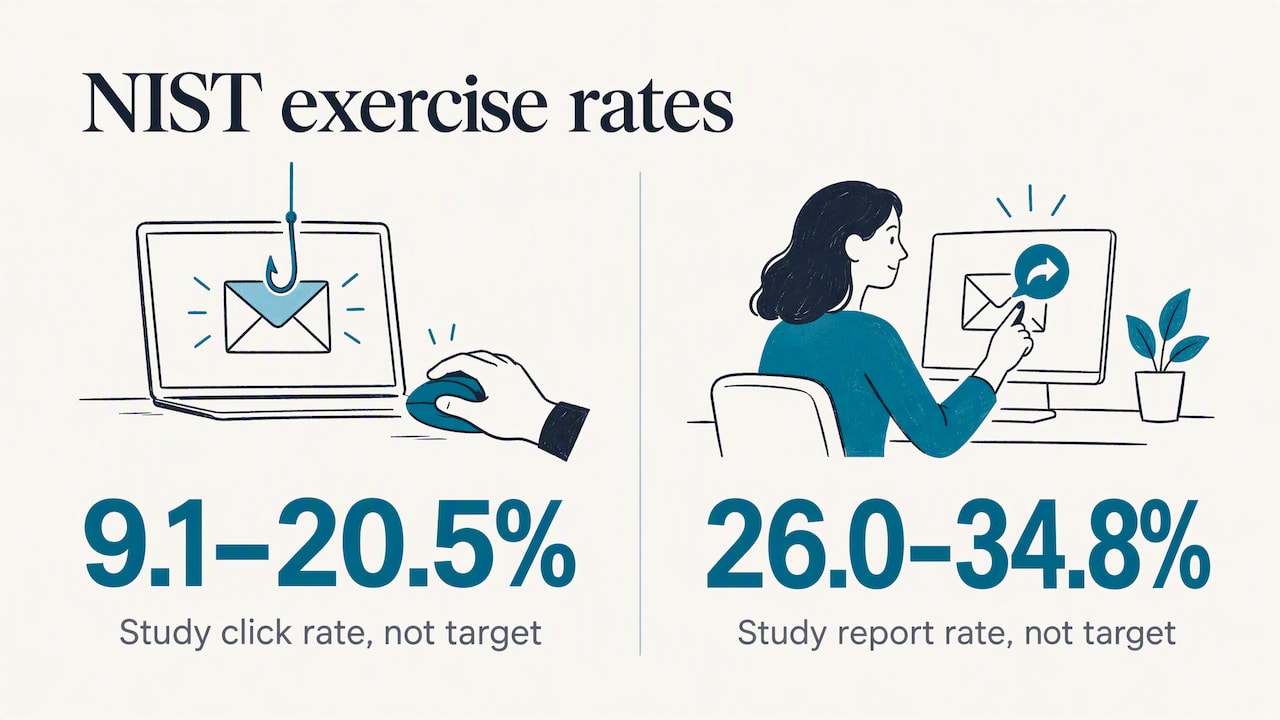
NIST’s research shows why raw click rates mislead. In an exercise with three scenarios sent to groups of 66 to 73 recipients, click rates ranged from 9.1% to 20.5% and reporting rates from 26.0% to 34.8%. Those figures are historical and specific to that organization, so do not use them as a target. What they demonstrate is variation: the lure mattered as much as the people.
NIST’s Phish Scale formalizes this. It rates a message by its observable cues and by how well its premise aligns with the recipient’s work. A message with high premise alignment and few detectable cues is harder to spot, and an unpaid-invoice email is far more plausible to an accounts payable clerk than to a facilities technician. Rating each campaign for difficulty lets you decide whether a poor result points to message design, role exposure or a training gap.
Measure what predicts containment
Track these together:
- Report rate, the share of recipients who report the message.
- Time to first report, which is often the metric that decides whether a real campaign is contained.
- Report quality, meaning whether reports include enough detail for an analyst to act.
- Click rate, adjusted for difficulty, as a trend per audience rather than a score per person.
- Credential submission rate, meaning whether anyone entered credentials, not only clicked.
Keep the response non-punitive
NIST’s human-factors work recommends treating employees as partners and an early-warning system, making reporting easy and examining time to first report instead of fixating on clicks. The operational reason is simple. If a click leads to public shaming or discipline, the next employee who clicks a real phish will say nothing, and the signal you needed is gone. Follow a click with immediate, short coaching, and thank people who report.
Safe mail-flow configuration
Before the first campaign, allowlist the simulation sender in your email security stack, decide which mailboxes are excluded, define what happens if an employee replies or forwards to a customer, and tell the help desk. These details are unglamorous, and they are where programs stall.
Training is one layer of the defense
The same joint guidance recommends MFA, strong password practices, DNS filtering or firewall denylists, endpoint protection, restrictions on high-risk file extensions, automatic updates and safe browsing alongside user training. For organizations with limited resources, that list is the practical baseline.
Assume some message will get through and some employee will act on it. Then ask what happens next:
- Does phishing-resistant MFA, where operationally feasible, make a stolen password insufficient?
- Does a report reach an analyst who can check mailbox rules, sign-in activity and endpoint telemetry?
- Is there a defined escalation path with named owners, including after hours?
- Are devices patched automatically so that a lure carrying an exploit has less to land on?
For local governments in particular, the stakes are rising on paper as well. Ohio’s public-sector cybersecurity obligations now require political subdivisions to adopt a cybersecurity program, consistent with generally accepted best practices, effective September 30, 2025. A county-level bulletin summarizing the requirement lists employee training requirements, scaled to each employee’s duties, among the program’s components. If you serve an Ohio township, municipality or county, confirm the specifics with your legal counsel and the Auditor of State.
Run it yourself or bring in help
The content is the easy part. The hidden workload is administration: audience scoping, safe mail-flow setup, campaign scheduling, exception handling, reporting and follow-up. CISA’s description of anti-phishing program support lists program management, a simulation platform, campaign support, dashboards and reporting, which is a useful checklist when deciding whether your team can carry this.
Ask these questions of any internal plan or outside provider:
| Question | What a good answer looks like |
|---|---|
| Who owns reports of suspicious email? | A named, monitored team with a response target |
| What happens after a reported message is confirmed malicious? | Investigation of sign-ins, mailbox rules and endpoints, plus containment |
| How are campaigns tailored? | By role and sector, with difficulty rated |
| What is reported to leadership? | Report rate, time to first report, trends, not only click rate |
| Who handles it after hours? | 24/7 coverage by named analysts |
If you want the detection side of this handled, Simvay’s 24/7 managed detection and response includes managed SIEM and identity threat detection. If you want the response plan in place before you need it, our incident response services include retainers, tabletop exercises and playbook development. For organizations that need security leadership to own the whole program, a fractional CISO can set policy, training cadence and reporting. You can see the full range on our services page, or read about who we serve.
A first-quarter plan
If you are starting from nothing, this sequence is realistic for a small team:
- Weeks 1 to 2: Enable a report-phish button, define where reports go and who responds. Confirm MFA coverage on email and remote access.
- Weeks 3 to 4: Deliver a short onboarding module covering the core signals and the reporting process. Brief managers on the non-punitive policy.
- Weeks 5 to 6: Run a baseline simulation with an easy and a moderate lure. Record report rate and time to first report.
- Weeks 7 to 10: Launch role-based modules for finance, HR, IT and executives, using lures that match their daily work.
- Weeks 11 to 13: Run a second simulation, compare difficulty-adjusted results, give leadership a one-page summary and schedule the next quarter’s refresher.
FAQ
How often should employees get phishing training?
Continuously, in small doses. SANS describes onboarding training, quarterly refreshers with current examples and regular simulations as the pattern for effective programs. The 2023 joint federal guidance also recommends an annual review of the material for smaller organizations.
Should we punish employees who fail a phishing test?
No. NIST’s guidance favors partnering with users and making reporting easy. Punishment teaches people to stay quiet, and quick reports are what let defenders contain a real attack. Offer brief coaching after a click instead.
What is a good click rate?
There is no universal number. NIST’s own exercise results varied from 9.1% to 20.5% across three scenarios in one organization, which shows that the lure changes the outcome. Track your own trend, adjust for message difficulty, and give equal weight to report rate and time to first report.
Is phishing training enough on its own?
No. Joint federal guidance recommends it alongside MFA, filtering, endpoint protection, restricted file types and automatic updates. Training lowers the number of successful lures, but identity controls and a response process limit the damage from those that succeed.
Sources
- Phishing Guidance: Stopping the Attack Cycle at Phase One (CISA, NSA, FBI, MS-ISAC)
- Teach Employees to Avoid Phishing (CISA)
- Anti-Phishing Training Program Support (CISA)
- 2025 Data Breach Investigations Report (Verizon)
- Phishing Awareness Training (SANS Institute)
- Phishing exercise results and human factors (NIST)
- Scaling the Phish: Advancing the NIST Phish Scale
- Auditor of State Bulletin 2025-007: Adoption of Cybersecurity Program (Ohio)
- County Cybersecurity Programs, Bulletin 2025-13 (CCAO)